

// Third-Party Patch Management
Patch the applications your endpoint tools do not cover
Third-Party Patch Management is the process of keeping software that did not come from the operating system vendor up to date: Chrome, Zoom, Adobe Reader, Teams, and the hundreds of other applications in daily use. These are among the most targeted applications in the estate, and they are usually the ones nothing patches automatically.
The applications nothing patches automatically
Microsoft Intune manages Microsoft. Jamf manages Apple. Both do that well. Neither closes the loop on the third-party applications running alongside them, and that is where most of the software estate actually sits.
The result is a gap that widens on its own. Every browser, PDF reader, meeting client, and utility follows its own release schedule, ships its own installer, and needs its own silent-install handling. Teams either patch them by hand, which stops scaling after a few dozen applications, or leave them, which is the more common answer and the more expensive one.
Timing is what makes it serious. Vulnerabilities are now exploited a median of five days after disclosure, while organizations take a median of 32 days to patch. The distance between those two numbers is the window attackers work in, and for third-party software it is usually wider still, because nobody owns the packaging.
Raynet One closes it by covering exactly what native tools leave open: continuous discovery of installed third-party software, tested packages ready when a release ships, and automated distribution that runs alongside the endpoint management you already operate.
Close the third-party gap without replacing what already works
Cover what native tools miss
Keep third-party apps like Chrome, Zoom, Adobe Reader and Teams up to date alongside Microsoft and Apple updates.
Remove the packaging workload
Stop sourcing installers, working out silent-install switches, and testing every release by hand. The packages arrive tested and ready to deploy.
Shorten the exposure window
Deploy a fix in the days after disclosure rather than the weeks after a packaging sprint, and keep zero-day response inside a controlled process.
Prove it for audit
Maintain traceable evidence of patch status and update history for ISO 27001, BSI, and comparable requirements.
Third-Party Patch Management
Third-party patching breaks into four jobs: knowing what is installed, knowing which versions are vulnerable, producing a deployable package, and getting it out safely. Most environments have the first two covered and stall on the third.
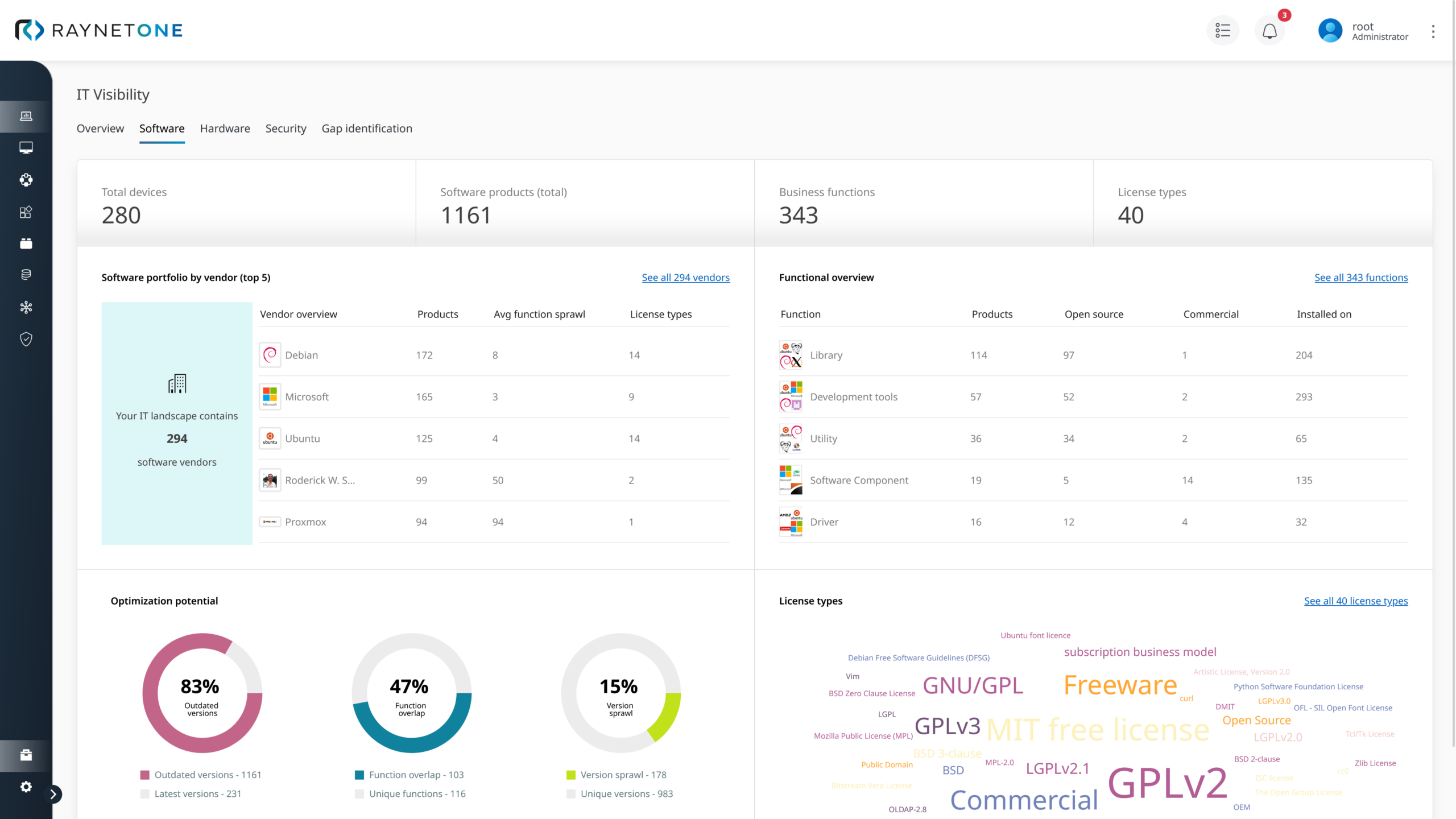
Raynet One handles all four on one platform. Agent-based and agentless inventory discovers installed applications across clients, servers, and VDIs, including software no native tool reports. The Raynet One Technology Catalog normalizes what it finds into consistent vendor, product, and version identity, then flags which versions carry known vulnerabilities or have passed End-of-Support.
The Raynet Package Store supplies the deployable artifact. More than 50,000 quality-assured, preconfigured packages for Windows and macOS are maintained centrally, and new releases are packaged automatically rather than waiting for someone to build them by hand.
Distribution runs through the integrated Deployment Manager, which reaches decentralized clients, servers, and VDIs from one place. Rollouts can be scheduled in configurable waves so a release lands with pilot groups before the wider estate. Raynet One does this alongside Microsoft Intune or Jamf rather than in place of them, so the tools managing your native platforms keep doing that job.
Cyberattack on IT infrastructure – full transparency and recovery in just 13 days

Following a targeted phishing attack, an international retail group lost track of its IT assets – with critical consequences for security and operations.
Thanks to Raynet technology, the company regained complete transparency across all systems in less than two weeks – and was able to restore its entire IT infrastructure in just 13 days.
An example of effective End of Life & End of Support Management in an emergency.
Customers who rely on Raynet technologies





The hard part of third-party patching is packaging
Detecting that Chrome is out of date takes seconds. Getting the new version deployed silently across a mixed estate takes packaging: sourcing the installer, working out the silent-install switches, testing it against a real image, then repeating all of that for every application and every release. This is the work Microsoft Intune and Jamf leave to you, and it is what the Raynet Package Store removes:
- 50,000+ packages ready now: quality-assured, preconfigured, instantly deployable packages for Windows and macOS, maintained by Raynet rather than assembled by your team.
- New releases packaged automatically: a version published today does not wait for your next packaging sprint, which is what keeps remediation inside the five-day exploitation window rather than outside it.
- Distribution included: the integrated Deployment Manager reaches clients, servers, and VDIs centrally, with rollouts schedulable in configurable waves.
- No rip and replace: Raynet One is complementary to Intune and Jamf, covering the third-party gap they leave rather than competing for the platforms they already manage.
Detection is commodity. A tested package, ready when the vendor ships it, is not.
Further use cases, you might also be interested in
Frequently asked questions about Third-Party Patch Management
What is Third-Party Patch Management?
How is it different from Security Patch & Update Management?
Do we have to replace Microsoft Intune or Jamf?
What makes Third-Party Patch Management with Raynet One different?
What happens with applications that are not in the Package Store?
How does Third-Party Patch Management support compliance?
Contact our experts
Interested in our solutions, need further Information, or have questions?
With more than 25 years of experience and numerous customer projects worldwide, we can help you with your challenges – contact us today!