


Raynet One 2026.1: License Management & SAM AI, AI Chat, and Power Filters
Date: January 30, 2026
What’s new on Raynet One?
Raynet One continues to evolve with updates that expand IT Asset Management depth, improve day-to-day administration, and introduce new ways to interact with enterprise IT data. Raynet One 2026.1 brings a dedicated License Management module with SAM AI capabilities, a new AI Chat experience, improved Windows inventory coverage for MSIX/APPX apps, and major usability upgrades for filtering and troubleshooting.
The following feature highlights are now available with Raynet One 2026.1:
Enterprise License Management & SAM AI
Raynet One introduces a dedicated License Management module, developed in collaboration with Deloitte, to streamline license reconciliation and support Effective License Position (ELP) workflows.
What you can do with the new workspace:
- Consolidate contract and entitlement inputs and correlate them with technical inventory and usage signals.
- Monitor utilization and allocation status with dashboards designed for license and spend visibility.
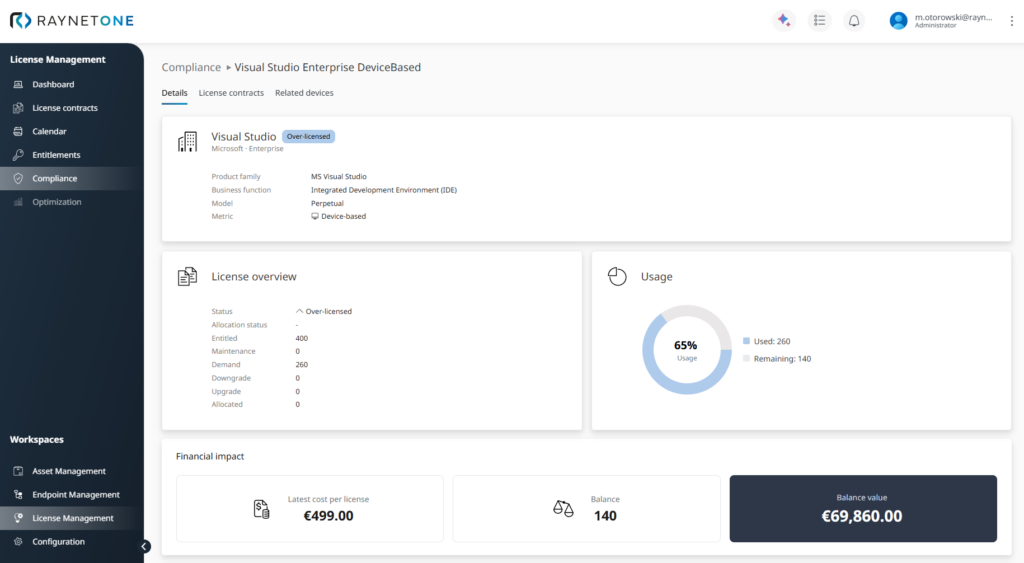
*Monitor license utilization at a glance with intuitive dashboards showing allocation status, usage metrics, and immediate financial insights
Intelligent contract processing
Reduce manual effort in contract onboarding with AI-supported document processing:
- Import contracts and invoices (PDF, Word, JPG, and more).
- OCR and extract relevant purchasing data (e.g., SKUs, quantities).
- Map extracted values to your technical records for faster reconciliation.
Codex integration
Use embedded vendor licensing knowledge to support consistent calculations:
- Access license terms and metric definitions for 100+ vendors/products.
- Apply vendor rules more reliably in compliance and entitlement workflows.
Proactive renewal management
Stay ahead of renewals with lifecycle visibility:
- Calendar view for maintenance and contract timelines.
- Alerts for upcoming expirations to reduce unintended lapses and unwanted renewals.
Compliance & entitlement dashboards
Separate views for clarity and faster action:
- Entitlements: what you own.
- Compliance: your calculated position.
- Identify deficits and surpluses quickly to support optimization and audit readiness.
Raynet One AI chat assistant: talk to your data
Raynet One 2026.1 introduces an AI Chat experience that lets users query and explore platform data using natural language without switching between reports and dashboards.
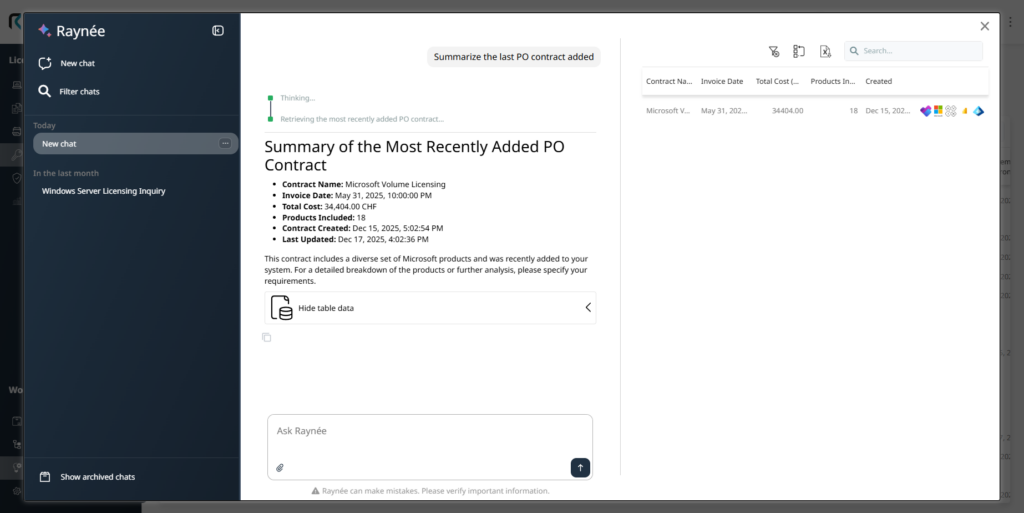
*Use natural language prompts to retrieve the necessary data in the required multimodal format. Keep track of your previous chats to understand how the AI assistant thinks
Multimodal interaction
- Use natural language prompts.
- Support for image and audio inputs for more flexible interaction.
Deep system integration
The assistant is designed for Raynet One context and can help you:
- Retrieve specific data slices from your estate.
- Generate summaries and structured results.
- Create visual outputs (e.g., charts) based on your request.
Transparent & explainable output
- Conversation history is retained for continuity.
- Clear traceability into how results were generated, supporting review and validation.
Enterprise-grade security options
Designed to meet enterprise governance requirements:
- Option to deploy LLM infrastructure within your own Microsoft Azure environment.
- Alternatively, a fully hosted Raynet option is available.
Inventory for Microsoft MSIX/APPX applications
Raynet One expands Windows inventory coverage to recognize modern Store apps (APPX) and MSIX packages, reducing blind spots that can occur when relying only on traditional Add/Remove Programs data.

What’s included
- Recognition of Store-installed apps and MSIX packages (including apps often assigned per user).
- Evidence collection from:
– Win32_InstalledStoreProgram
– Win32_InstalledWin32Program
– Win32_InstalledProgramFramework - Captures granular attributes such as Vendor, Version, Architecture, Package Codes, and Framework definitions to support precise recognition and license workflows.
Advanced Visual Data Filtering
Raynet One introduces a new Visual Filter Builder for datagrids, replacing basic column filters with a more powerful, logical filter editor designed for real reporting needs.
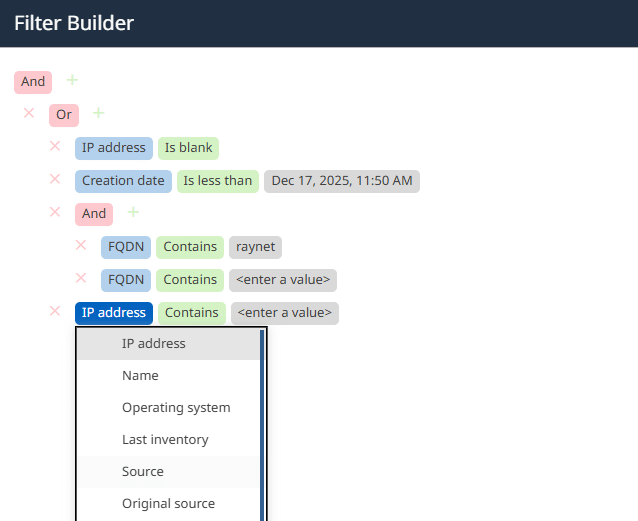
*New filtering capabilities are now available at the click of a button, allowing you to access the resources you need for your reporting
Visual query construction
- Build nested AND/OR conditions via a visual UI.
- Combine multiple criteria (e.g., IP ranges + domain attributes) without scripts or SQL.
Device list: Resource Group filter
- Filter devices inline by Resource Group to speed up work in segmented or multi-tenant environments.

*The Devices view now offers the option of filtering by one or more resource groups
Better context while you work
- Grid footer summaries show:
– total entries
– entries after filtering
– selected rows - Filtering now also applies to Tree Views, and filter state persists across navigation.
Comprehensive device log view
Troubleshooting gets a major upgrade with a centralized Device Log View that provides a complete timeline of device activity and operations.
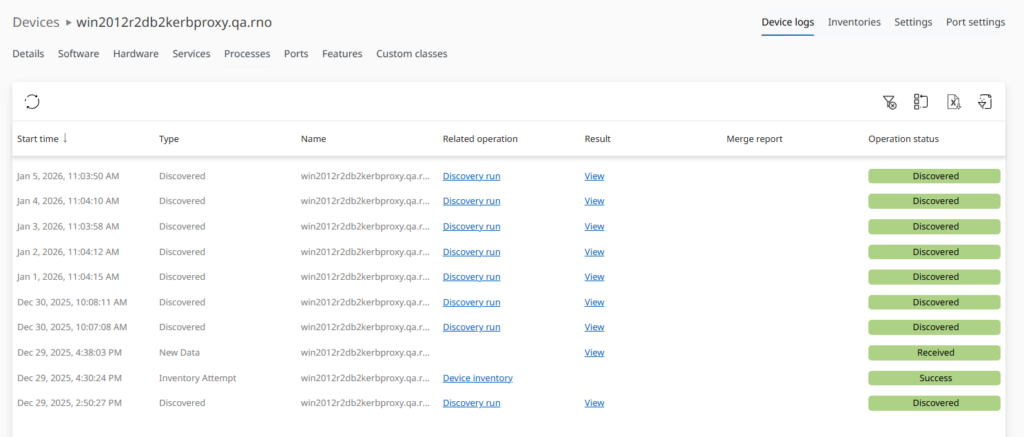
*This is one place to see what has happened with a device, with all attempts, discoveries, inventories and operations in one place for better troubleshooting
What’s new
- One sortable grid showing discovery, inventory, operations, and received data events.
- At-a-glance status markers (e.g., Discovered, Success, Received).
- Links from log entries to related operations for faster root-cause analysis.
UI refinements included
- “Recent Activities” renamed to Inventories (focused on inventory evolution).
- Device settings reorganized, including moving Ports into a dedicated tab.
Container SBOM data collection for docker images
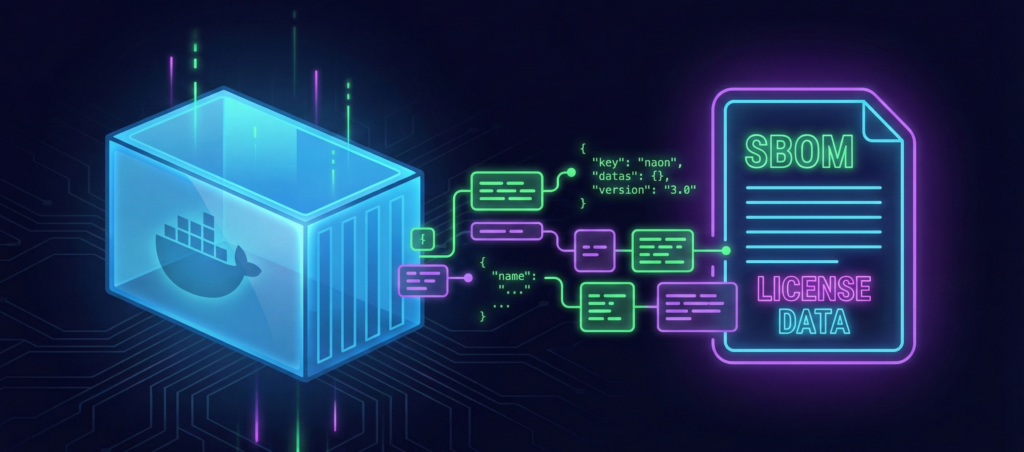
Raynet One 2026.1 introduces automated SBOM (Software Bill of Materials) collection for detected Docker images, laying the foundation for future compliance, risk, and vulnerability reporting.
How it works
- Background SBOM analysis runs against detected container images.
- Results are stored securely as structured JSON in the backend.
Note: This feature operates as a background data aggregation process. While these values are not yet visualized in the user interface, this collection is essential for populating the historical data required for upcoming compliance, risk assessment, and vulnerability reporting modules.
HashiCorp vault integration
Raynet One adds native integration with HashiCorp Vault via a new “Vault CA” integration type.
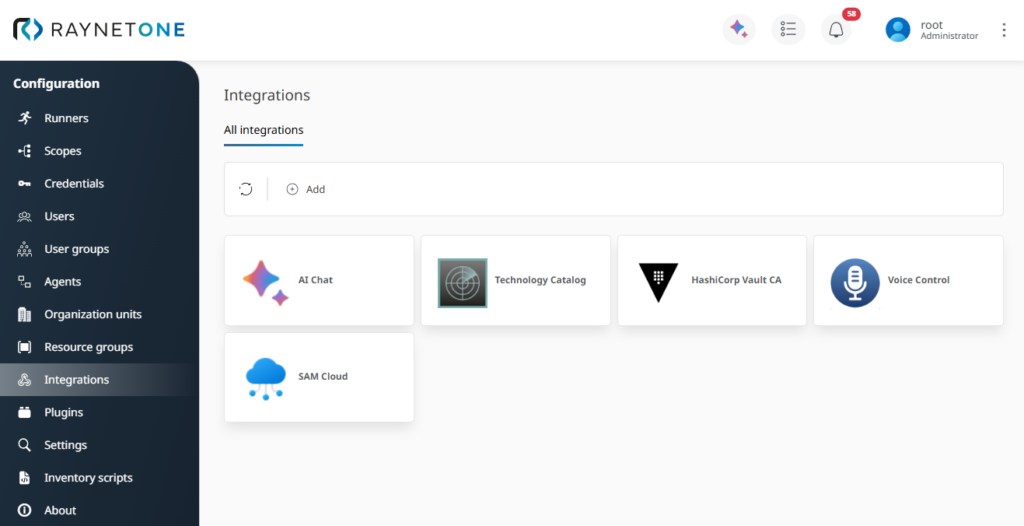
*Integration screen, where the new integration can be configured
What this enables
- Secure secret handling aligned with enterprise security architectures.
- Support for cryptographic operations such as signing public keys within Raynet One.
- Multiple authentication methods supported, including SelfSignedJwt and Service Principals.
Flexible device targeting preferences
Raynet One adds granular controls for how the inventory engine targets endpoints which is useful in environments that standardize on DNS resolution, static IPs, or specific connection methods.
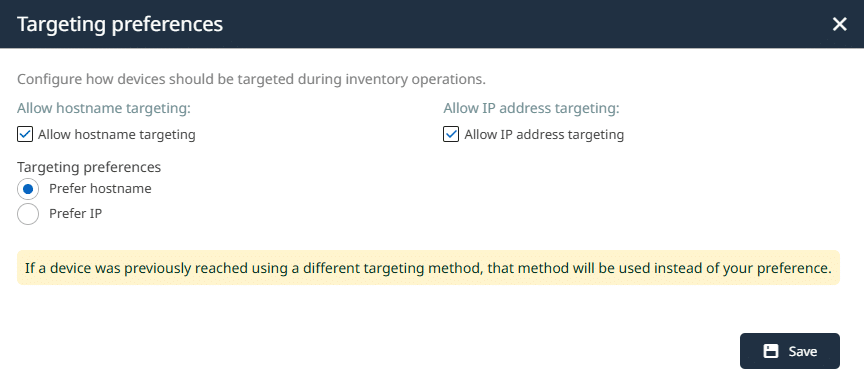
*Configuration of the targeting preferences
Key capability
- Define and enforce a preferred targeting order so connection attempts follow your network standards consistentl
File scan enhancements
File content analysis becomes easier to review and more actionable.
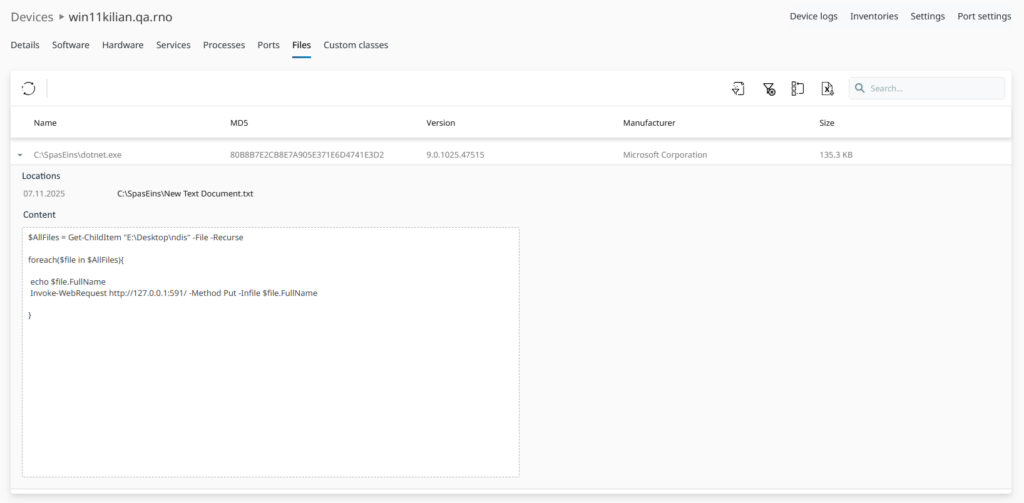
Improvements included
- A dedicated detail view replaces dense grid-based file content layouts.
- Plain-text content is correctly decrypted for UI display (while still protected in transit), enabling practical review and downstream use.
Have fun exploring the new features!
Raynet One 2026.1 adds new capabilities for license workflows, AI-assisted analysis, richer inventory coverage, faster filtering, and more effective troubleshooting so teams can work with greater precision and less manual effort.